Learn about Simi
Shared Chats
The Shared Chats section allows you to share conversations between agents, merge shared discussions, continue conversations, and collaborate across multiple AI agents.
Watch the video above to see the Shared Chats section in action and learn more about how it works.
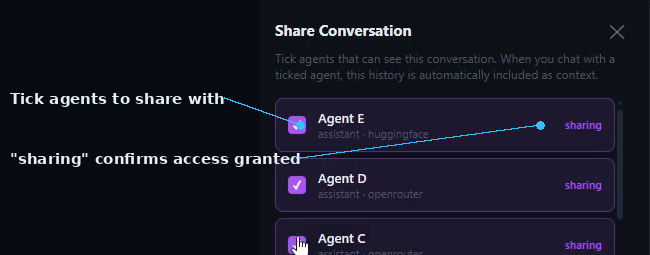
Sharing a Conversation
- Go to the Chats section.
- Open the agent containing the conversation you want to share.
- Select the conversation.
- Click the Share button in the top-right corner.
- A pop-up window will appear.
- Select the agents you want to share the conversation with.
- Click Share to grant the selected agents access.
Viewing Shared Conversations
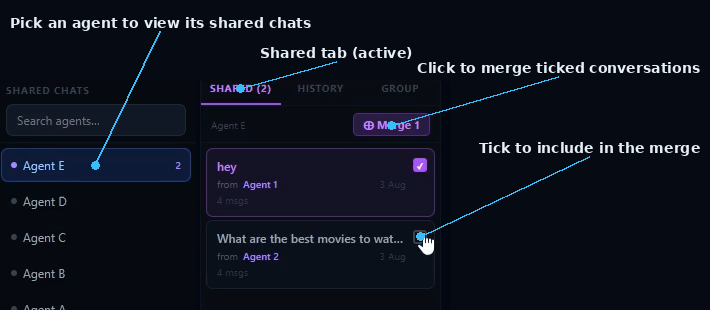
- Open the Shared Chats section.
- A list of all available agents is displayed.
- Select an agent to view the conversations that have been shared with it.
- Shared conversations are organized for easy access and management.
Merging Shared Conversations
- Select the conversations you want to combine.
- Click Merge.
- The selected conversations are merged into a single discussion.
- This makes it easier to analyze related conversations without switching between multiple chats.
Continuing a Merged Conversation
- Click Continue to reopen the merged discussion.
- Type the instructions describing how you want the conversation to continue.
- Click Send.
- The selected agent will continue the discussion using the combined context from the merged conversations.
- This is useful for generating summaries, extracting key points, or expanding previous discussions.
Conversation History
- Click History next to the Shared section.
- View all conversations that have been continued after being shared or merged.
- This allows you to revisit previous discussions and track ongoing collaboration between agents.
Group Collaboration
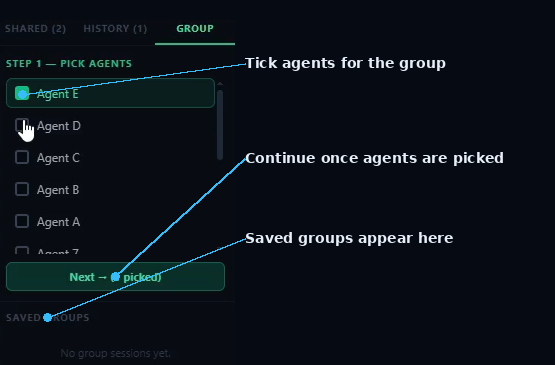
- Click Groups next to the History section.
- A list of all available agents will appear.
- Select the agents you want to compare or collaborate with.
- Click Next to continue.
- The system displays conversations shared between the selected agents.
Continuing Shared Group Discussions
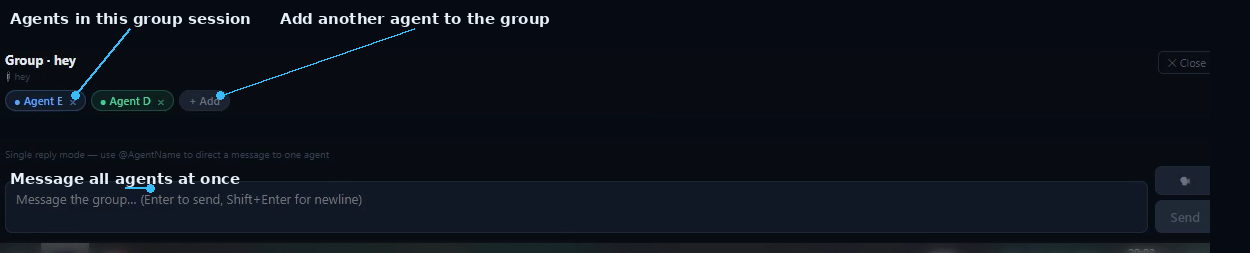
- Select the shared conversation you want to continue.
- Enter your instructions or follow-up request.
- Click Send.
- Each selected agent responds independently using the shared conversation as context.
- This allows you to compare different summaries, analyses, recommendations, or perspectives from multiple agents.
Key Features
- Share conversations between AI agents.
- View conversations shared with each agent.
- Merge multiple shared conversations.
- Continue discussions using merged conversation history.
- Access the history of continued conversations.
- Compare shared conversations across multiple agents.
- Generate independent responses from different agents using the same conversation context.
Start a Shared Chat in SIMI
Follow the steps above to continue a conversation across agents and put Shared Chats to work.
Explore SIMI